





Give every customer-facing team the same connected view
Dynamics 365 for organisations whose salespeople, engineers, installers, inspectors and service teams work across customer sites and locations.


Keep people connected
wherever the work happens
Distributed organisations depend on people making good decisions away from head office. Salespeople visit prospects, engineers attend customer sites, installers complete jobs, inspectors capture findings and service teams coordinate the next response. When information is fragmented, teams duplicate effort, customers repeat themselves and managers struggle to see what is happening. Dynamics 365 can create one connected customer and work context across office, contact centre and mobile teams.
Where customer-facing
operations become difficult
- Customer and site information held in personal inboxes, spreadsheets or separate systems.
- Mobile teams are receiving incomplete job details or working from outdated information.
- Slow, manual hand-offs between sales, support, scheduling and field teams.
- Limited visibility of visits, actions, outcomes and follow-up commitments.
- Managers lacking a reliable view of workload, service performance and customer risk.


Dynamics 365 Sales
Give sales teams mobile access to accounts, contacts, opportunities, activities and relationship history. Standardise follow-up and improve visibility without requiring people to be office-based.

Customer Insights Journeys
Create automated, personalised communications before and after visits, events, service activity or sales engagement. Use captured responses to trigger relevant team actions.

Dynamics 365 Customer Service
Log and manage customer issues centrally, apply queues and service processes, and give office teams the information needed to coordinate an effective response.

Dynamics 365 Field Service
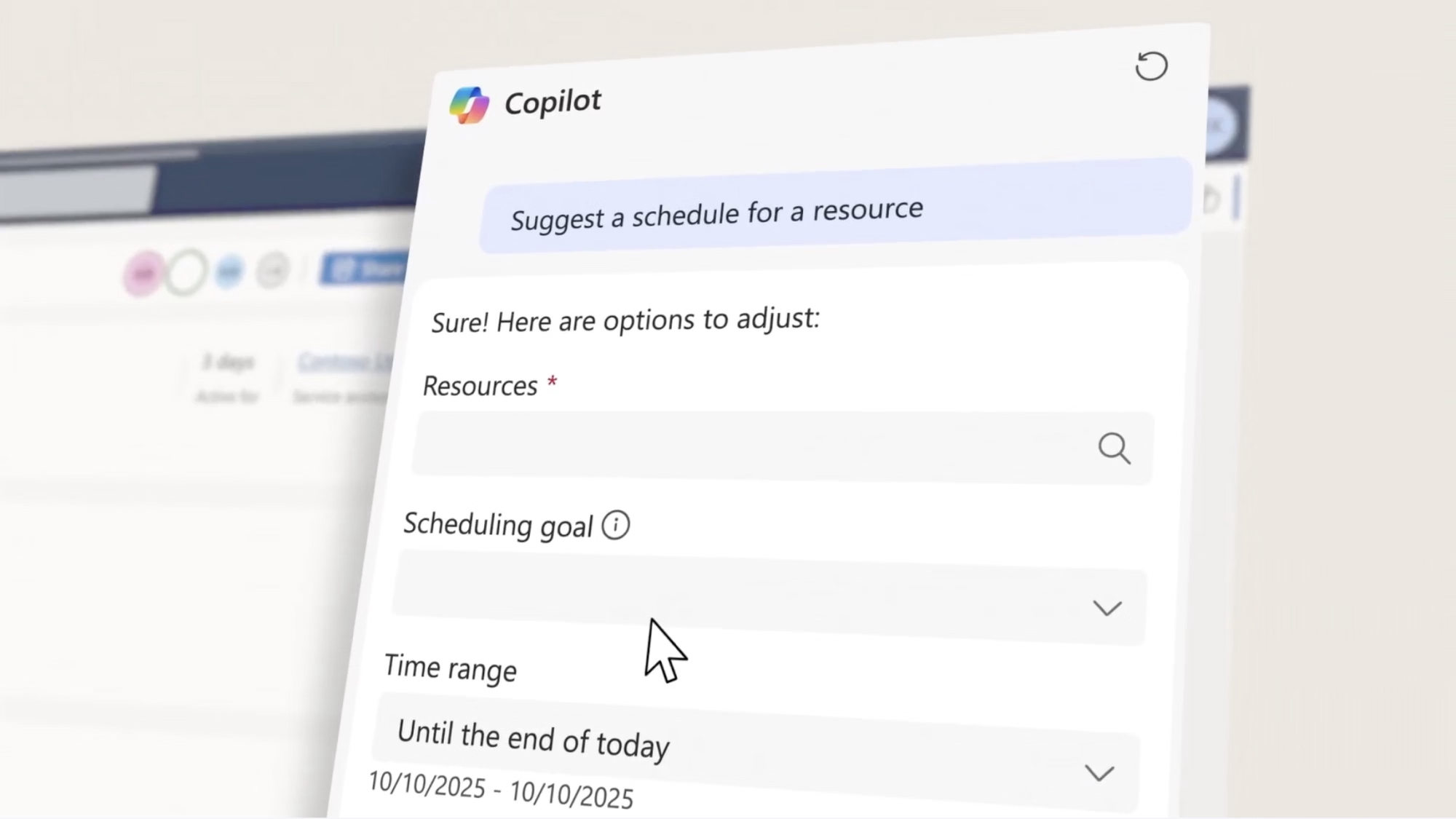
Schedule and dispatch work, provide mobile access to work orders and customer/site information, and capture updates from engineers, installers or inspectors while they are in the field.
Solve complex scheduling problems, implement work orders, customer details and asset history which can be available to mobile teams in the field. Capture updates from engineers, installers or inspectors and create templates to standardise field operations to improve control.

Dynamics 365 Contact Center
Unify customer conversations across voice, chat, email and messaging. Route interactions intelligently and give agents a complete view of previous conversations and current work.

Microsoft Power Platform
Automate hand-offs and notifications, create role-specific mobile apps, connect data sources and deliver dashboards for workloads, outcomes, customer experience and operational performance.
One platform, role-relevant experiences
A connected platform does not mean every user sees the same screen. QGate can design role-based processes and applications so office teams, managers and mobile workers get the information and actions relevant to them, while the organisation maintains one dependable customer context.
Why choose QGate?
QGate has extensive experience of CRM and customer-facing processes involving dispersed sales, service and operational teams. We combine Dynamics 365 and Power Platform expertise with a practical focus on usability, adoption, integration and ongoing improvement.
- Nearly 30 years specialising in CRM, with a deep focus on Microsoft Dynamics 365 and Power Platform.
- Practical experience of complex B2B sales, service, field operations and customer journeys in organisations with similar working models.
- A business-led approach that starts with outcomes, processes and adoption, not technology for its own sake.
- Support across strategy, implementation, optimisation, integration and ongoing CRM success.
- A connected Microsoft approach that can enhance customer-facing operations while retaining the systems that already run the operational core.
Connect your people, customers and field activity
Speak with QGate today to explore how Dynamics 365 can improve coordination, visibility and customer experience across your distributed teams.
FAQ’s
Yes. Dynamics 365 and Power Apps provide mobile experiences. Offline requirements and the exact user journey should be assessed during solution design.
Yes. Apps, forms, views and security can be designed around the responsibilities of sales, service, scheduling, management and field roles.
Yes. QGate can define integrations so mobile and customer-facing teams receive relevant information without unnecessarily replacing specialist operational platforms.
Yes. Mobile experiences can allow authorised users to view and update relevant work, customer, site and outcome information while they are away from the office.
Offline capability can be considered for appropriate scenarios. The exact data, security, synchronisation and user experience requirements should be assessed during solution design.
Yes. Dashboards and views can bring together work status, ownership, visits, outcomes and service measures across teams and locations, based on the data captured.
Yes. Scheduling, queues, skills, territory, priority and other business rules can support routing and assignment, depending on the applications and process design selected.
Yes. Security roles, teams, business units and application design can be used to control which records and actions are available to different groups of users.